NoteBurner Amazon Music Converter Review 2026: Is It Worth It?
Amazon Music has become one of the leading platforms for music lovers due to its vast library and high-quality streaming. However, downloading Amazon Music for offline use, especially in common formats like MP3, remains a challenge due to DRM protection. That's why many users seek third-party tools to help with music conversion.
NoteBurner Amazon Music Converter is one such tool that has gained popularity. But how well does it perform in 2025? Is it still the best option? In this review, we'll walk you through all the details you need to know about NoteBurner. We'll also introduce a powerful alternative — AMusicSoft Amazon Music Converter, which might better suit your needs.
Article Content What is NoteBurner Amazon Music Converter Main Features of NoteBurner Pros and Cons of NoteBurner Best Alternative: AMusicSoft Amazon Music Converter AMusicSoft Full User Guide Conclusion
What is NoteBurner Amazon Music Converter
NoteBurner Amazon Music Converter is designed to help users download Amazon Music tracks and convert them to formats such as MP3, AAC, FLAC, or WAV. This enables offline playback on various devices without Amazon's app.
Main Features of NoteBurner
- Supports multiple output formats like MP3, AAC, WAV, FLAC, AIFF.
- Maintains ID3 tags and metadata.
- Batch conversion is supported.
- Simple interface for ease of use.
- Compatible with both Windows and Mac.
Pros and Cons of NoteBurner
Pros:
- Reliable conversion of Amazon Music tracks.
- Retains original sound quality reasonably well.
- Available on major desktop platforms.
Cons:
- Conversion speed can be inconsistent.
- Some features are locked behind a paywall.
- No built-in player or music manager.
Best Alternative: AMusicSoft Amazon Music Converter
If you're seeking a smoother and more advanced experience, AMusicSoft Amazon Music Converter is a highly recommended alternative. It allows you to download Amazon Music without the Amazon Music app, convert tracks at 5X speed, and keep 100% original audio quality.
Let’s walk through how to use AMusicSoft in detail.
AMusicSoft Full User Guide
Follow these easy steps to convert Amazon Music using AMusicSoft:
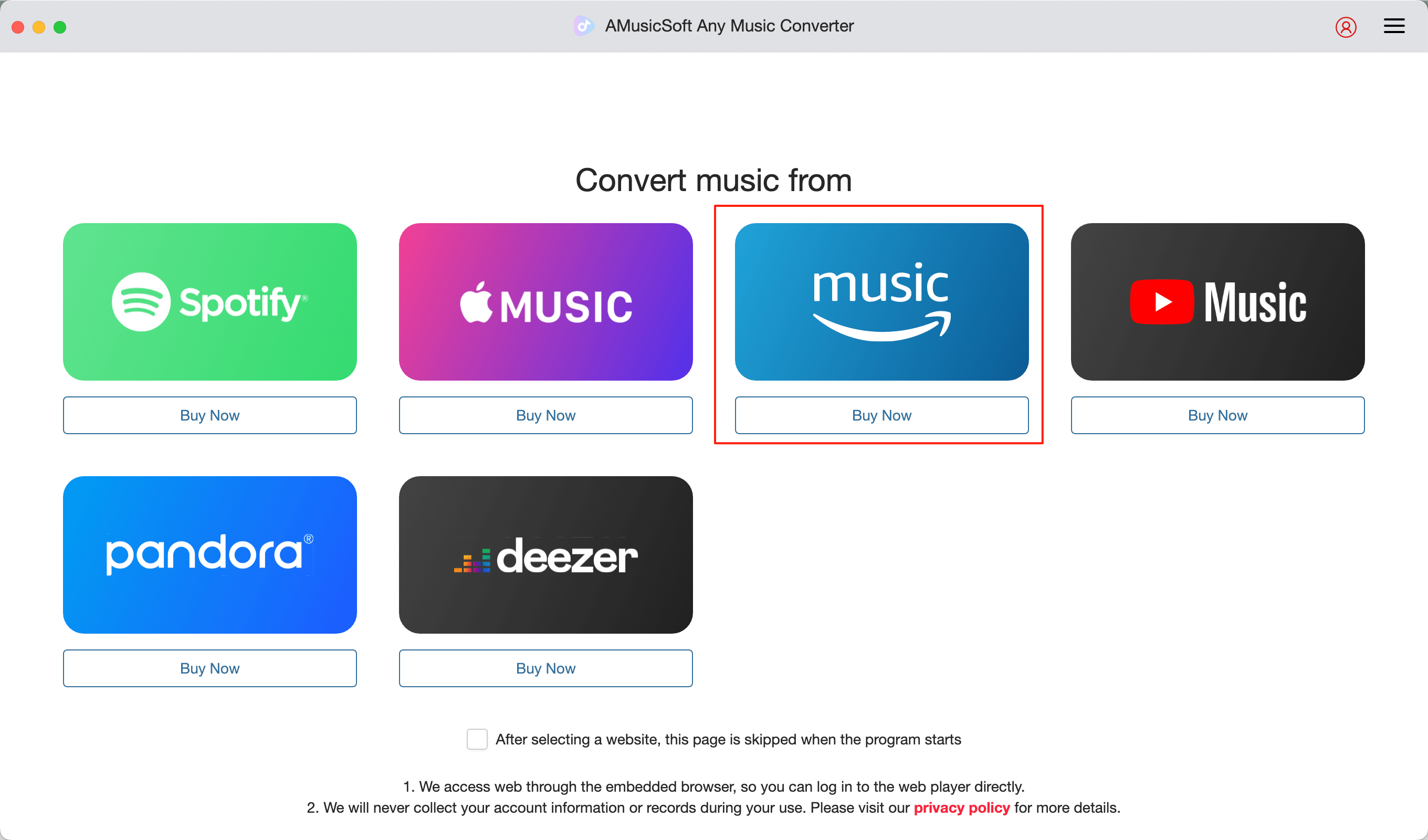
Step 1. Launch the AMusicSoft Amazon Music Converter
Download and install the tool, then select Amazon Music as your source.
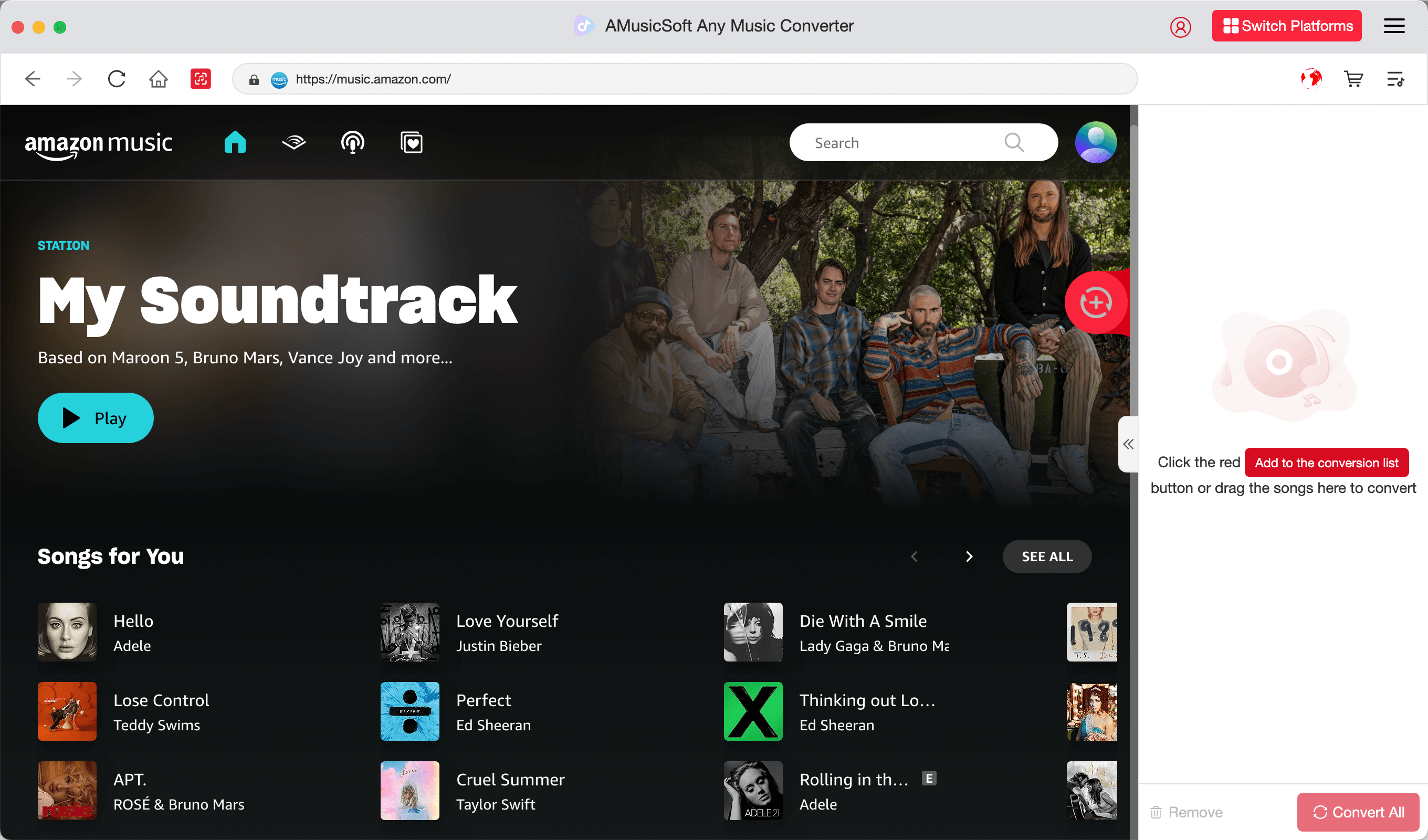
Step 2. Sign in and Choose Songs or Playlists
Log in to your Amazon Music account in the built-in web player, then select the songs or playlists you wish to download.
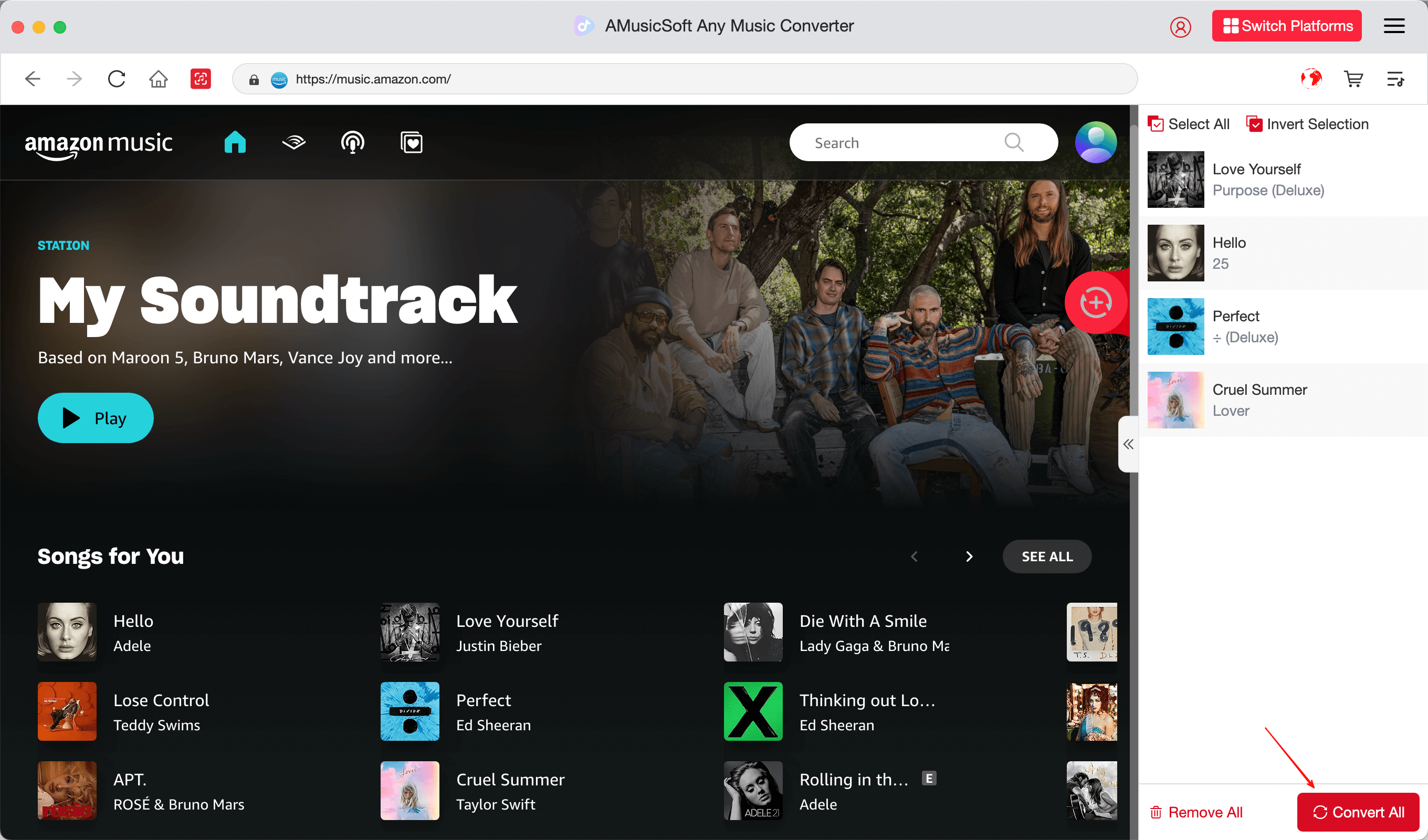
Step 3. Start Converting the Tracks
Click the “Convert” button and AMusicSoft will begin downloading and converting your selected music to the format of your choice.
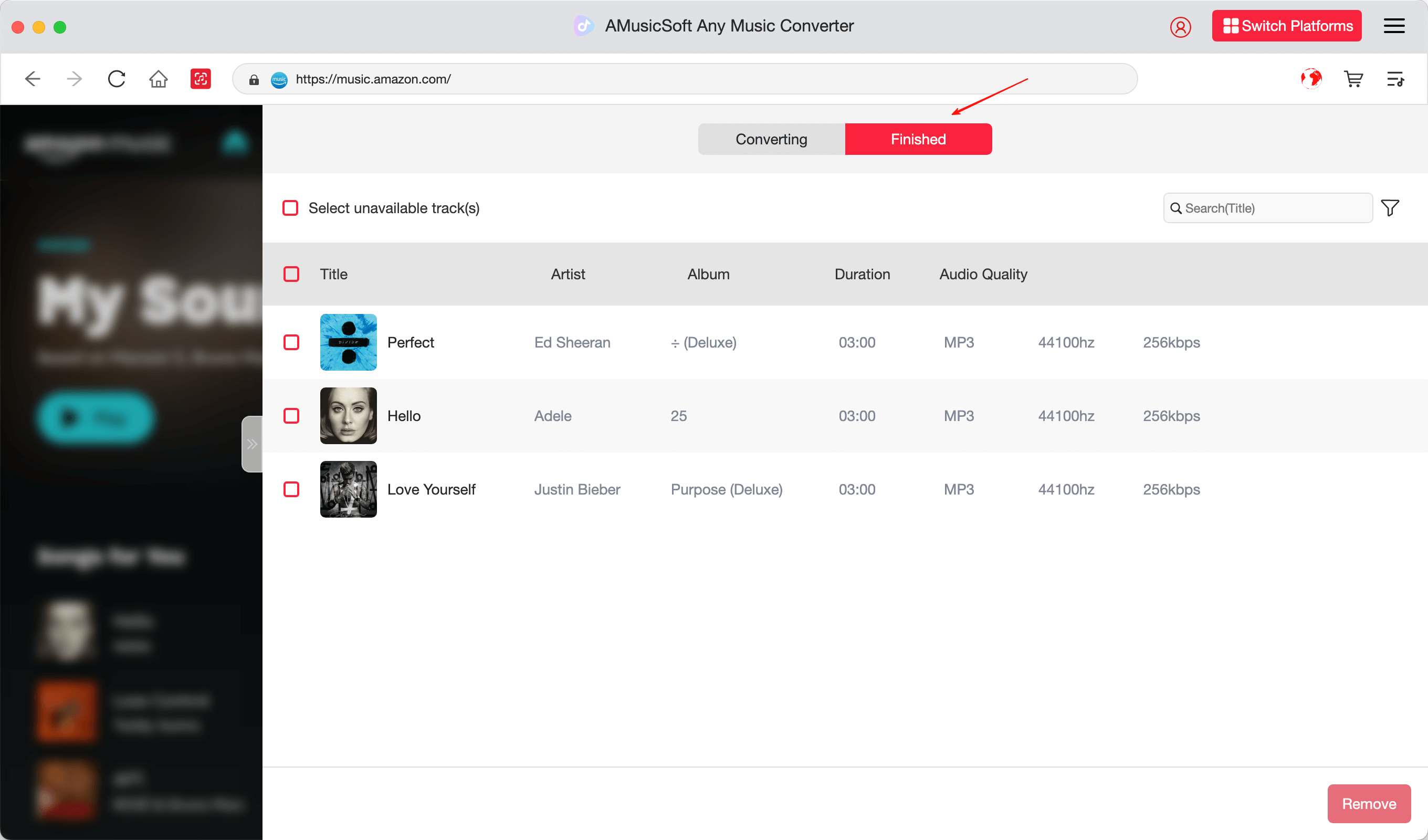
Step 4. View the Downloaded Music
Once finished, head to the "Finished" tab to locate and manage your downloaded files.
Conclusion
NoteBurner Amazon Music Converter remains a decent tool in 2025, but if you prioritize speed, quality, and ease of use, AMusicSoft Amazon Music Converter offers a more efficient solution. With its streamlined process and high-quality results, it’s one of the best Amazon Music downloaders currently available.
Explore more tips on how to enjoy Amazon Prime Music offline or transfer Amazon Music to iTunes from our blog.
FAQs about NoteBurner and AMusicSoft
Q1: Is NoteBurner Amazon Music Converter safe to use?
Yes, it is safe to install and use on Windows and Mac systems. But AMusicSoft offers more comprehensive functionality.
Q2: Does AMusicSoft Amazon Music Converter retain audio quality?
Absolutely. AMusicSoft preserves original quality (up to 320kbps) and supports multiple output formats.
Q3: Can I use these tools on a free Amazon account?
You need at least a Prime or Unlimited subscription to access full tracks, but both converters support downloading available music.
Q4: Which is better for playlist downloads?
AMusicSoft is better optimized for batch playlist conversions with fast processing.
People Also Read
- Amazon Music DRM Removal: How to Remove DRM from Amazon Music in 2026
- NoteBurner Amazon Music Converter Review 2026: Is It Worth It?
- How to Play Amazon Music in Car | 2026 Guide
- How to Download Amazon Music in 2026 [Ultimate Guide]
- How to Transfer Amazon Music to iTunes in 2026 [Full Guide]
- How to Use Amazon Prime Music in 2026 [Complete Guide]
- How to Enjoy Amazon Prime Music Offline in 2026
- Amazon Music vs Spotify in 2026: Which Streaming Service Is Better?
 About The Author
Robert Fabry is an ardent blogger, and an enthusiast who is keen about technology, and maybe he can contaminate you by sharing some tips. He also has a passion for music and has written for AMusicSoft on these subjects.